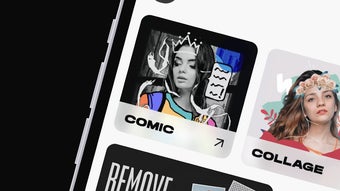

Download FocoDesign Photo Video Editor – photo editor, video maker, online design platform, graphic design tool, Canva alternative, template-based design, social media graphics, YouTube thumbnails, event invitations, product brochures, digital marketing tools
Overview
FocoDesign Photo Video Editor is a versatile online design platform designed for users seeking an accessible way to create digital content for personal or professional use. Developed by FocoDesign Studio, the application functions as a photo editor, video maker, and graphic design tool, enabling users to produce a wide range of visual materials without requiring prior design experience. Its core purpose lies in simplifying the creation of digital paraphernalia such as event invitations, product brochures, social media ads, and YouTube thumbnails. The software leverages a template-based approach, offering over 20,000 pre-designed layouts that are customizable through intuitive tools. This makes it particularly suitable for small business owners, social media managers, content creators, and individuals who need to generate high-quality visuals quickly. The platform is accessible via Android, iOS, and web browsers, ensuring broad reach across devices. While the free version provides substantial functionality, users can unlock additional assets and features through in-app purchases. The developer did not provide additional details about the app’s development philosophy or long-term roadmap. The release date was September 15, 2023.
Key Features & Capabilities
- Template Library: Over 20,000 ready-to-use templates for various design needs, including social media graphics, event invitations, and product brochures.
- Photo Editing Tools: Functions such as background removal, cropping, resizing, and filter application allow users to refine images with minimal effort.
- Video and GIF Creation: Users can create short videos and animated GIFs using built-in editing tools and transition effects.
- Sticker and Element Integration: A library of customizable stickers and design elements can be added to enhance visual appeal.
- Custom Canvas Option: For users who prefer a blank slate, the app supports starting from scratch without relying on templates.
- Cloud-Based Access: Projects can be saved and accessed across devices through a web or mobile interface.
These features enable users to design promotional materials for digital marketing campaigns, create engaging content for social media platforms, or produce visual assets for personal events. The workflow is structured around selecting a template, customizing elements, and exporting the final output. The developer did not specify whether the editing tools support advanced features like layer management or vector editing.
User Interface, Workflow & Performance
The user interface of FocoDesign Photo Video Editor is designed with simplicity and accessibility in mind, prioritizing ease of navigation for non-professionals. The layout organizes tools and assets into clearly labeled sections, allowing users to quickly locate editing functions such as filters, stickers, and text customization. Workflow efficiency is enhanced by a step-by-step process: choose a template, modify content, apply effects, and export. The interface supports touch-based interactions on mobile devices, making it responsive and intuitive for on-the-go use. However, the developer did not specify resource usage details, and performance observations are based on general software behavior patterns. Users have reported instances of slow loading, particularly when accessing large template libraries or rendering animations. Stability during prolonged editing sessions was not detailed. The app’s performance may vary depending on device capabilities and network conditions, especially for the web version. No information was provided about CPU or RAM consumption during operation.
Compatibility & System Requirements
FocoDesign Photo Video Editor is available on Android, iOS, and web browsers, providing multi-platform access. The current version is 3.1.1, with an installation size of 120 MB on Android devices. The developer did not specify exact system requirements for mobile or web platforms. Compatibility information was partially provided, and users are advised to ensure their device meets general standards for running modern web applications. For the web version, a stable internet connection is recommended. The app’s cloud-based nature means that local hardware specifications do not heavily influence functionality, but performance may be affected by browser compatibility and network speed. The developer did not list minimum processor, RAM, or storage requirements for optimal use.
Pros and Cons
Pros
- Extensive library of over 20,000 customizable templates for diverse design needs.
- Intuitive interface suitable for users without graphic design experience.
- Supports both photo and video editing, including GIF creation.
- Accessible on Android, iOS, and web platforms.
- Free version offers robust functionality for basic to intermediate projects.
Cons
- Reported issues with in-app purchases not unlocking premium features despite successful payment.
- Users have experienced slow loading times, especially during high-traffic periods.
- Advanced editing tools and professional features are restricted behind a paywall.
- Limited transparency about system requirements and performance metrics.
- Web version may require a stable internet connection for full functionality.
FAQ Section
Is FocoDesign Photo Video Editor available for free?
Yes, the app is free to download and use on Android, iOS, and web browsers. However, additional templates, assets, and advanced features are available through in-app purchases.
Can I use FocoDesign Photo Video Editor offline?
The developer did not specify offline functionality. The app relies on cloud-based services, so a stable internet connection is required for full access to templates, tools, and project saving.
Is the app secure to use?
FocoDesign Studio is the official developer, and the app is distributed through official channels. However, users should exercise caution when entering payment information due to reported issues with transaction processing and feature unlocking.
How often does the app receive updates?
The current version is 3.1.1, released on September 15, 2023. No information was provided about the update frequency or release schedule.
What types of files can I export from FocoDesign Photo Video Editor?
The app supports exporting images and videos in common formats. Specific export options such as resolution, file type, and compression were not detailed in the provided information.
Final Thoughts
FocoDesign Photo Video Editor stands out as a practical solution for users who need to create professional-looking graphics and videos quickly and affordably. Its vast template library, combined with a user-friendly interface, makes it ideal for social media managers, small business owners, and content creators. While the free version delivers strong value, caution is advised when considering premium subscriptions due to reported issues with payment validation. The app performs well in basic design tasks but may lack depth for advanced users seeking comprehensive editing capabilities. For those prioritizing speed, simplicity, and visual consistency across platforms, FocoDesign Photo Video Editor is a solid choice. Download FocoDesign Photo Video Editor now.




.png)


